Reaper
V-Control Pro must be set up in the Control/OSC/Web section of the Preferences window. Depending on how many banks are being used, the configuration will vary. At this time functionality is very limited with Reaper.
8 Channel
- Launch Reaper
- In the Reaper top menu bar go to: Reaper / Preferences...
- Navigate to the Control/OSC/Web section of the Preferences window.
- Click on Add to bring up the Control surface setup window.
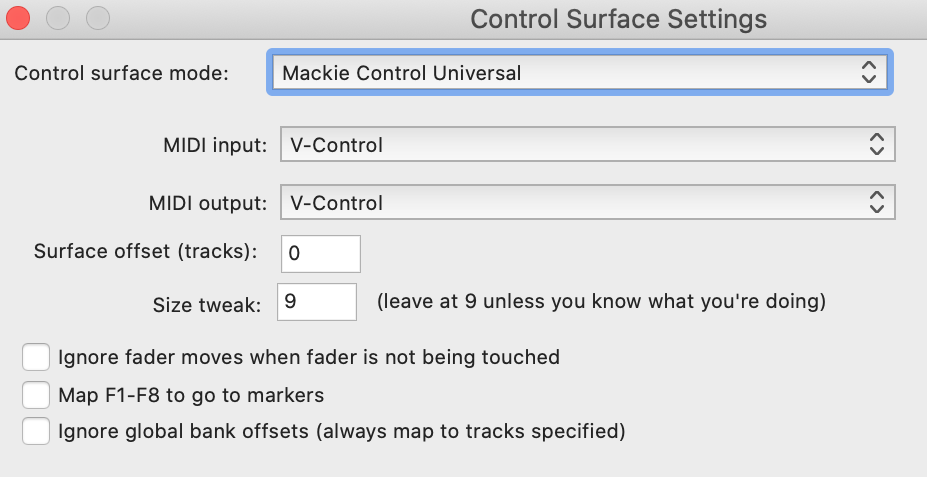
- Select the following in the Control Surface Settings Window:
- Control Surface Mode: Mackie Control Universal
- MIDI Input: V-Control
- MIDI Output: V-Control
16 Channel
Follow the instructions for 8 Channel setup then do the following:
- Click on Add again to bring up a new window:
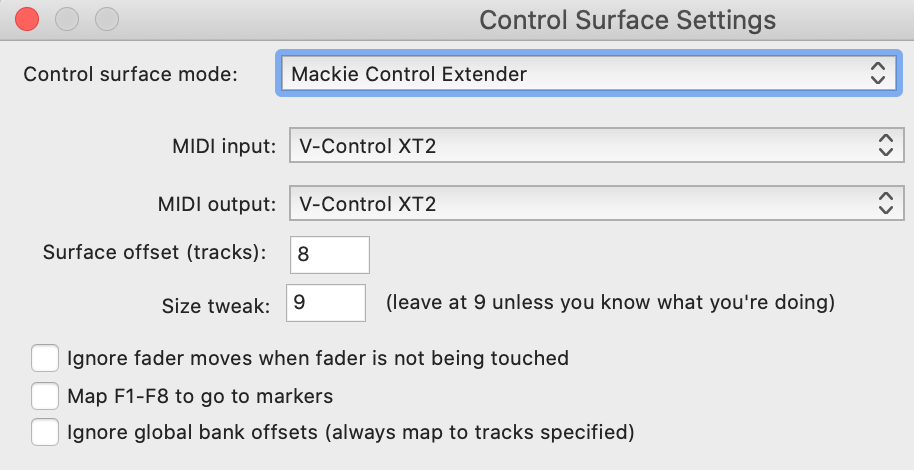
- Select the following in the Control Surface Settings Window to add the 2nd bank:
- Control Surface Mode: Mackie Control Extender
- MIDI Input: V-Control XT2
- MIDI Output: V-Control XT2
- Surface Offset (Tracks): 8
24 Channel
Follow the instructions for 16 Channels then do the following:
- Click on Add again to bring up a 3rd new window:
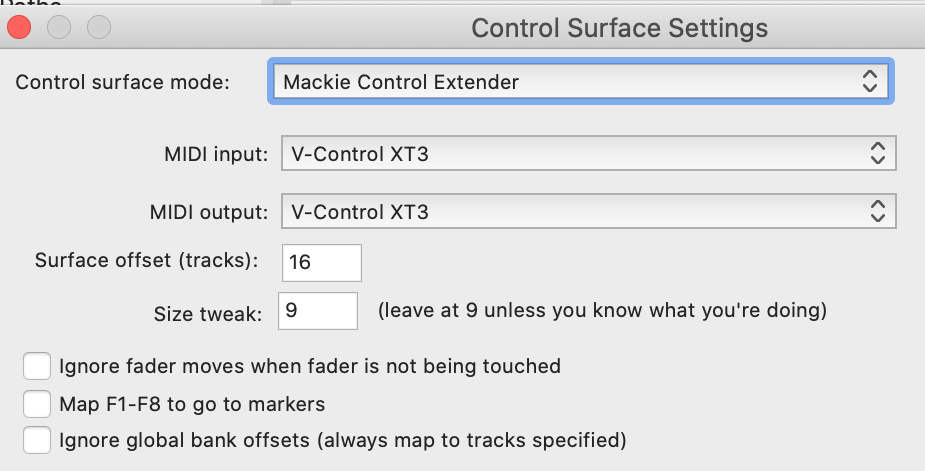
- Select the following in the Control Surface Settings Window to add the 3rd bank:
- Control Surface Mode: Mackie Control Extender
- MIDI Input: V-Control XT3
- MIDI Output: V-Control XT3
- Surface Offset (Tracks): 16