DaVinci Resolve
Control Limitations
DaVinci Resolve provides very limited MIDI remote control. Control is limited to a maximum of eight channel strips. Please contact DaVinci Resolve customer support to request feature enhancements.
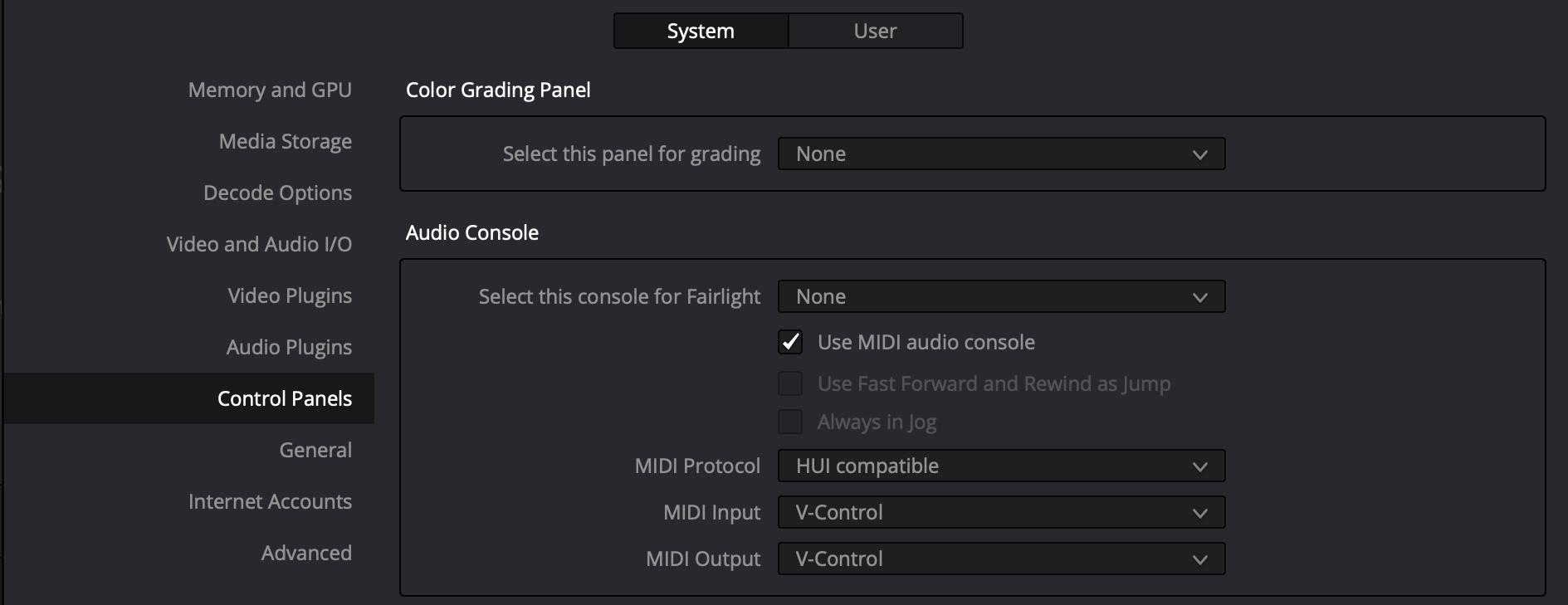
- In the Resolve top menu bar select: DaVinci Resolve / Preferences...
- In the Preferences window, select "Control Panels"
- In the Audio Console section, enable "Use MIDI audio console".
- Setup with the following settings:
- MIDI Protocol: HUI compatible
- MIDI Input: V-Control
- MIDI Output: V-Control